
Create a booking
A booking ties a guest, a unit and dates together. It is created as Confirmed. It is reserved for the owner, the manager and reception.
Updated 14 October 2026
Open the form
Reservations menu → New reservation. In the Calendar you can also click the price of a night to book from that date.
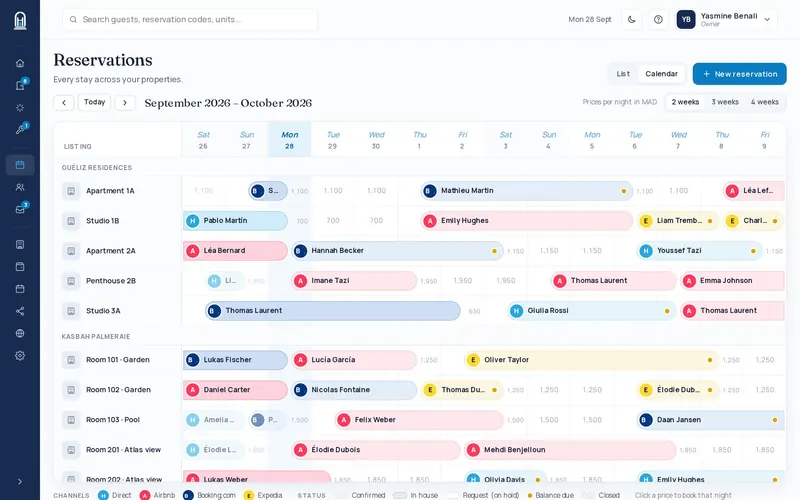
Choose the guest
Search an existing guest by name or phone, or fill in a new guest: first name, last name, WhatsApp / phone, email. A WhatsApp number that is already known is recognised automatically.
Choose the unit and the dates
Pick the unit, the check-in and the check-out. Greyed-out nights are unavailable.
Complete the stay
Adults, children, booking channel (Direct by default), expected arrival and breakfast (not included or included).
Check the price
If you leave Total blank it is calculated from your rates, at the same price as on the website. You can also type it.
Create the booking
Add notes if needed, then click Create reservation.
Record a payment
Open the booking → Payment → Record payment: amount, payment method, and “For”: stay balance or city tax.