
Today’s arrivals and departures
The Check-in & registration page in the menu lists today’s guests. Everyone with access to reservations can see it; the owner, the manager and reception can act.
Updated 14 October 2026
Open today’s page
Check-in & registration menu. Two tabs with their count: Arrivals and Departures.
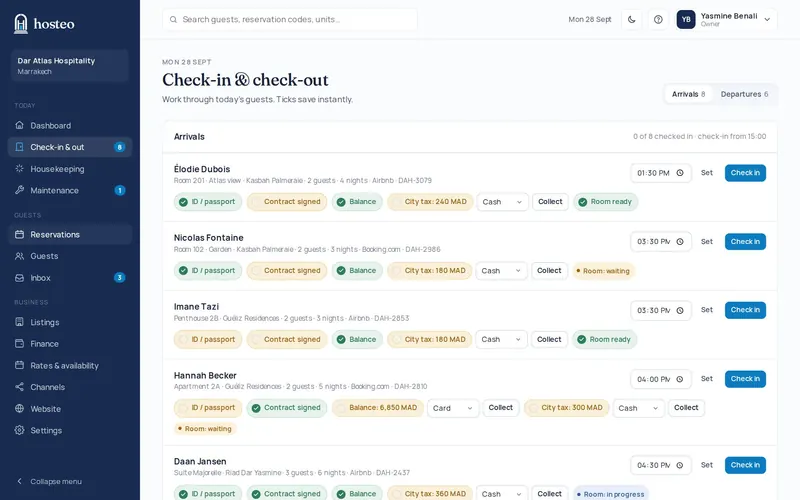
On arrival: tick the checks
Each tick saves instantly: ID / passport, contract signed, balance (with the payment method and the Collect button), city tax (cash by default) and room ready. You can also set the arrival time.
Click “Check in”
Open checks don’t block the arrival: the button’s tooltip lists them. The card then shows “Checked in” with the time.
On departure: collect what is left
Collect the remaining balance and city tax, then tick Keys returned.
Click “Check out”
The unit goes to “Cleaning required” and the departure cleaning task is created or updated automatically.
Does this guide not answer your question? Contact support