
The housekeeping board
The board fills itself: a recorded departure creates the cleaning task. It is open to every role except reception; editing is reserved for the owner, manager and housekeeping.
Updated 14 October 2026
Open the board
Housekeeping menu. Tabs: All tasks and Assigned to me. The status legend filters the board.
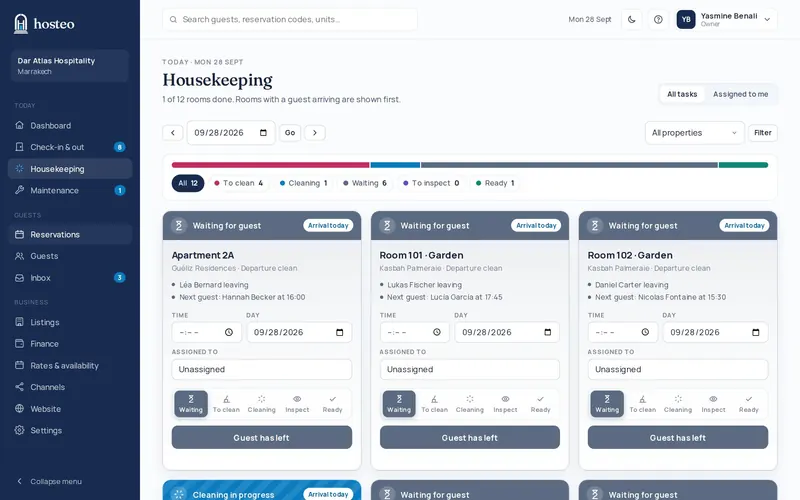
Move a task along
Each card has a status track: waiting for guest, to clean, cleaning in progress, needs inspection, ready. A single button moves it on: “Guest has left”, “Start cleaning”, “Cleaning done” then “Approve”.
Assign and schedule
On the card: the time, the day (to move the clean) and “Assigned to” to pick a team member.
Add a task
Click “Add a task”: unit, type (departure clean, stay-over service, deep clean, inspection), priority, day, time and notes, then Add task.
Does this guide not answer your question? Contact support